Sick of having to name your tracks everytime you start a new project?
A really nifty way to save time in Sonar is to create your own ‘Track Templates’.
:::How:::
Start a new project.
Add a couple of tracks, name them if you want.
Then selct the tracks you want to be in your template using ‘Ctrl’ and click.
Go to ‘File’ – ‘Export’ – ‘Track Template’ – Save as ‘1’ or whatever you want to call it.
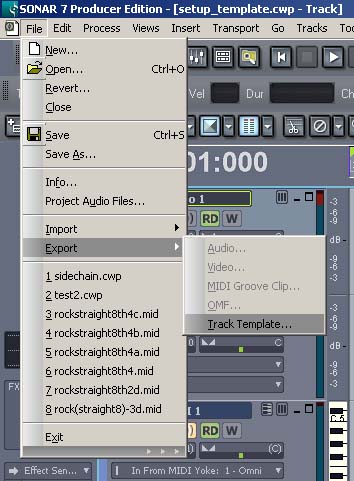
Now to import your ‘Track Template’ right click in an empty area of the track screen,
In the following screen shot – ‘Insert From Track Template’ – my template is called ‘1’.
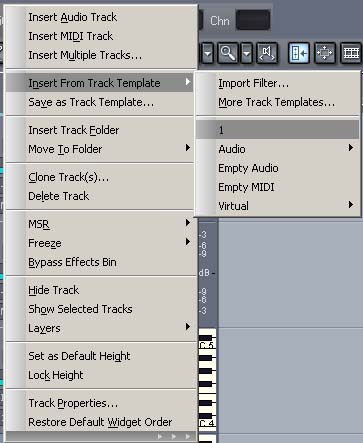
Now you should have a bunch of new tracks.
This is an ideal way of saving time naming tracks or whatever you need.
Unfortunately it doesn’t work with group folders.
You have to do this manually but that’s no major hassle.