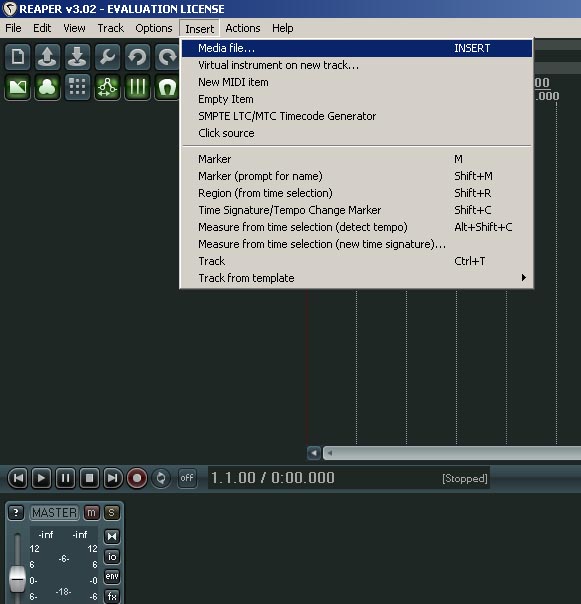
How to: insert midi files into reaper
Insert – Media File or use the keyboard shortcut using the ‘INSERT‘ key.
Insert Midi into reaper
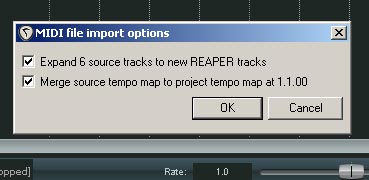
Once you’ve located the file to be imported and chosen it a box like the one above will appear.
If you have downloaded the drums from this site then you need to untick both boxes before you press ok.
Otherwise it will import 6 tracks.
If you’ve gotten files from elsewhere then find out which track you wish to import or prepare yourself for some manual deleting.
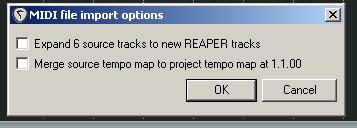
Insert midi file - reaper
You should now have a nice drum file ready for playing.
Don’t forget to change your midi drum instrument to channel 10.
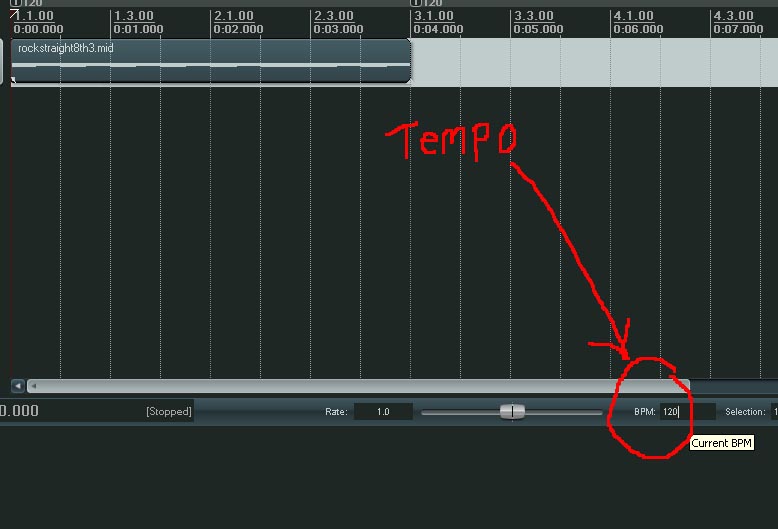
If you need to change the tempo/bpm
Change tempo in reaper
If you don’t know what BPM or TEMPO means it basically relates to the speed of the track.
BPM = Beats per minute – a lower number here will produce a slower track.
The control above is for the whole track.