Voxengo.com

Guitar Tuition in Bolton

advice amp articles audio chords compression compressor distortion download drums effect effects eq fender Free free audio plugin free vst plugin free vst plugins Freeware FX guitar help home recording instrument lessons Mastering Midi Mixing mp3 Music Music Quotes music quotes notes piano plugin plugins reaper Recording reverb setup Software sonar synth synthesizer tab tips voxengo vst vsti xp

Search
Categories

Archive for the ‘Editing Reaper’ Category

Render / Freeze Track Reaper

To render a vst instrument or effect in Reaper frees up your CPU resources.

Reaper: Render Stereo Stem

Reaper: Render Stereo Stem

To render or ‘freeze’ your track: choose TRACK and you will see two render options

The above picture shows the ‘Stereo’ stem render option.

The above picture shows the ‘Mono’ stem render option.

Reaper: Render Audio

Reaper: Render Audio

Sometimes too many VST’s can clog up your PC/Laptop this usually manifests itself in spluttering audio and audio dropouts – freezing or rendering these tracks to audio helps relieve your processor and increase your options.

Tip: Make a backup of your file before you do anything drastic – make a new copy of your song as well and rename it.

The way I usually do this is like so,

1. Original File = song.rpp

2. Backup File = song_backup.rpp

3. Rendered File = song_render.rpp

This may seem excessive but get yourself into the practice of backing up everything,

believe me if you don’t one day you’ll wish you had…

Editing Reaper – Split a track

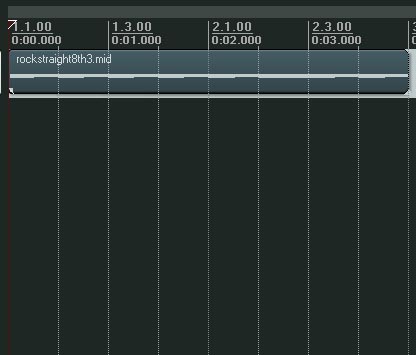
Splitting a track in Reaper is pretty simple -

Works for Midi and Audio

Editing Reaper: Splitting a track

Editing Reaper: Splitting a track

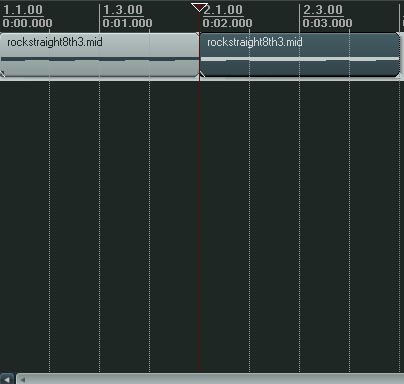
Find the place you want to split the track, use the mouse to select the area on the work area and press ‘S’

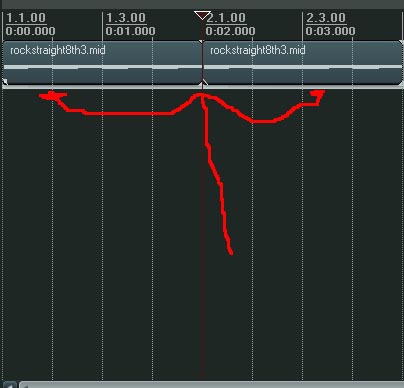
This will then split the track as below.
Editing Reaper: Splitting a track
Editing Reaper: Splitting a track

Editing Reaper: Fixing a track - Select

Editing Reaper: Fixing a track - Select

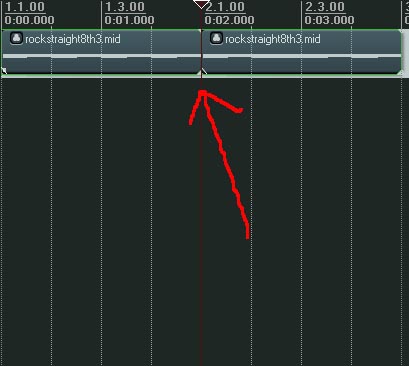
If you want to fix the track or connect or ‘Glue’ parts together…

Select the two areas you want to glue together and press ‘G’
Editing Reaper: Fixing a track - glue it together

Editing Reaper: Fixing a track - glue it together